Enrollment API
Routes, identity boundaries and cross-account access checks.
The multi-agent IDE built on pi
Take on work bigger than one prompt. Run independent tasks in isolated lanes, delegate focused pieces inside each lane, and stay close to every decision, diff and result.
A full editor, terminal and review environment around pi’s small, extensible agent harness. Bring Astra, Opus 5.5, Sol 6.1, or another configured model. Use your existing subscriptions or API keys. You choose the team.
Real work / Phosphor Remote Hosts
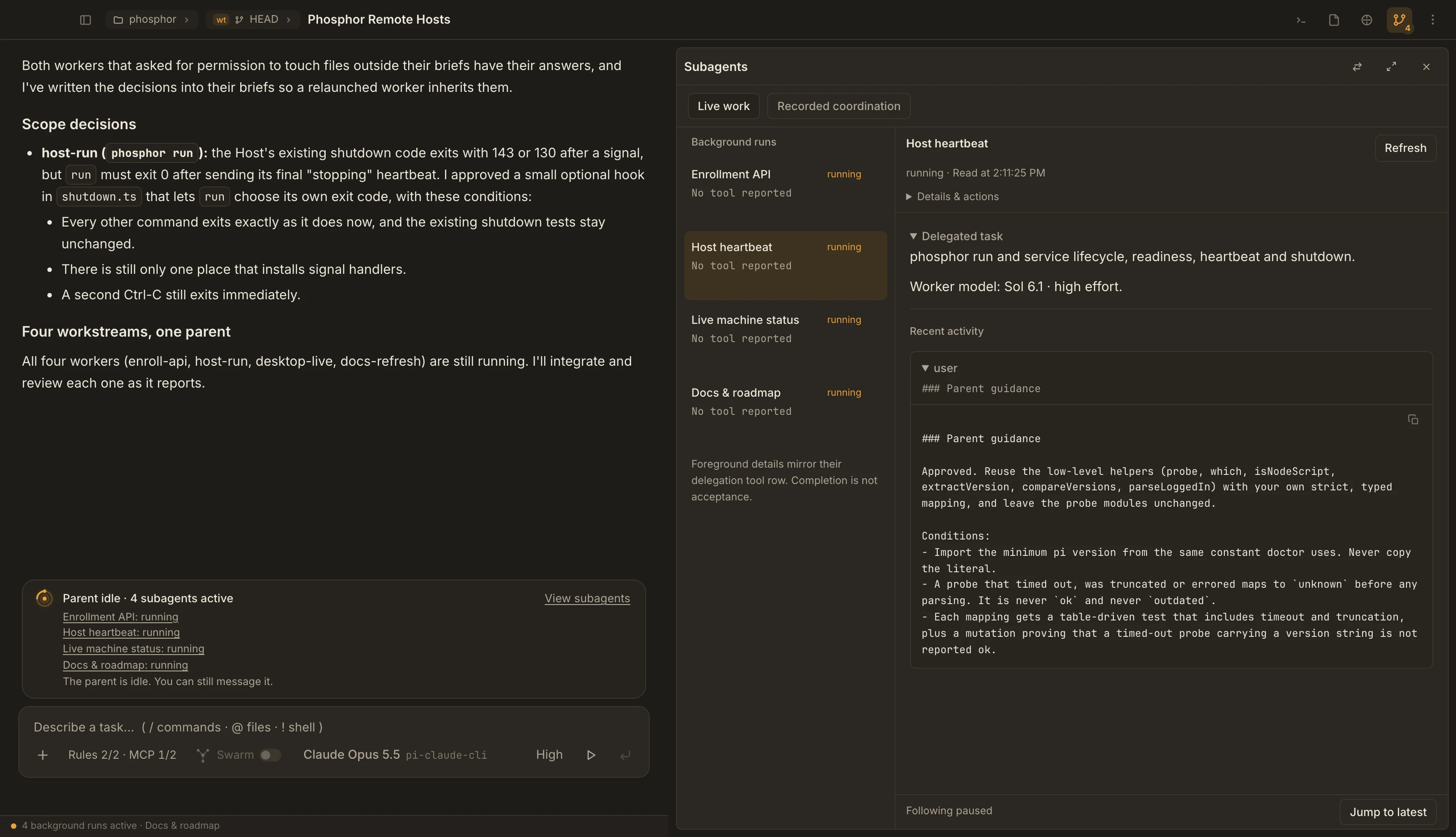
One parent coordinated four workstreams. Workers asked before crossing their scope. Independent reviewers challenged the results. The parent owned integration.
Routes, identity boundaries and cross-account access checks.
Readiness, heartbeats, graceful shutdown and recovery.
Live updates, reconnects and signed-out safety.
What exists, what is decided, and what is still a design question.
The part a chat log doesn’t show
The capture above replays selected, redacted records in the real Phosphor UI. Task labels are expanded; activity is historical, not live. This lane predates the Swarm switch. Remote Hosts is the feature being built, not a claim that remote execution is available.
Your models. Your division of labor.
The recorded parent used Astra and Opus 5.5 at different points; Sol 6.1 was assigned to workers and reviewers. Here is one way to divide a new mission.
Map the codebase, examine dependencies, and turn an open question into bounded work.
Delegate the pieces, answer scope questions, weigh review findings, and assemble the result.
Build focused changes. Use separate reviewer runs to challenge them before integration.
Example roles, not built-in presets or a benchmark. Choose available models and thinking levels through pi and pi-subagents. Phosphor does not automatically assign these models. Claude subscriptions can connect through pi-claude-cli.
Across the whole project
A team inside one lane is only half the story. Work on several features at once, without mixing their branches or losing the one task that needs your decision.
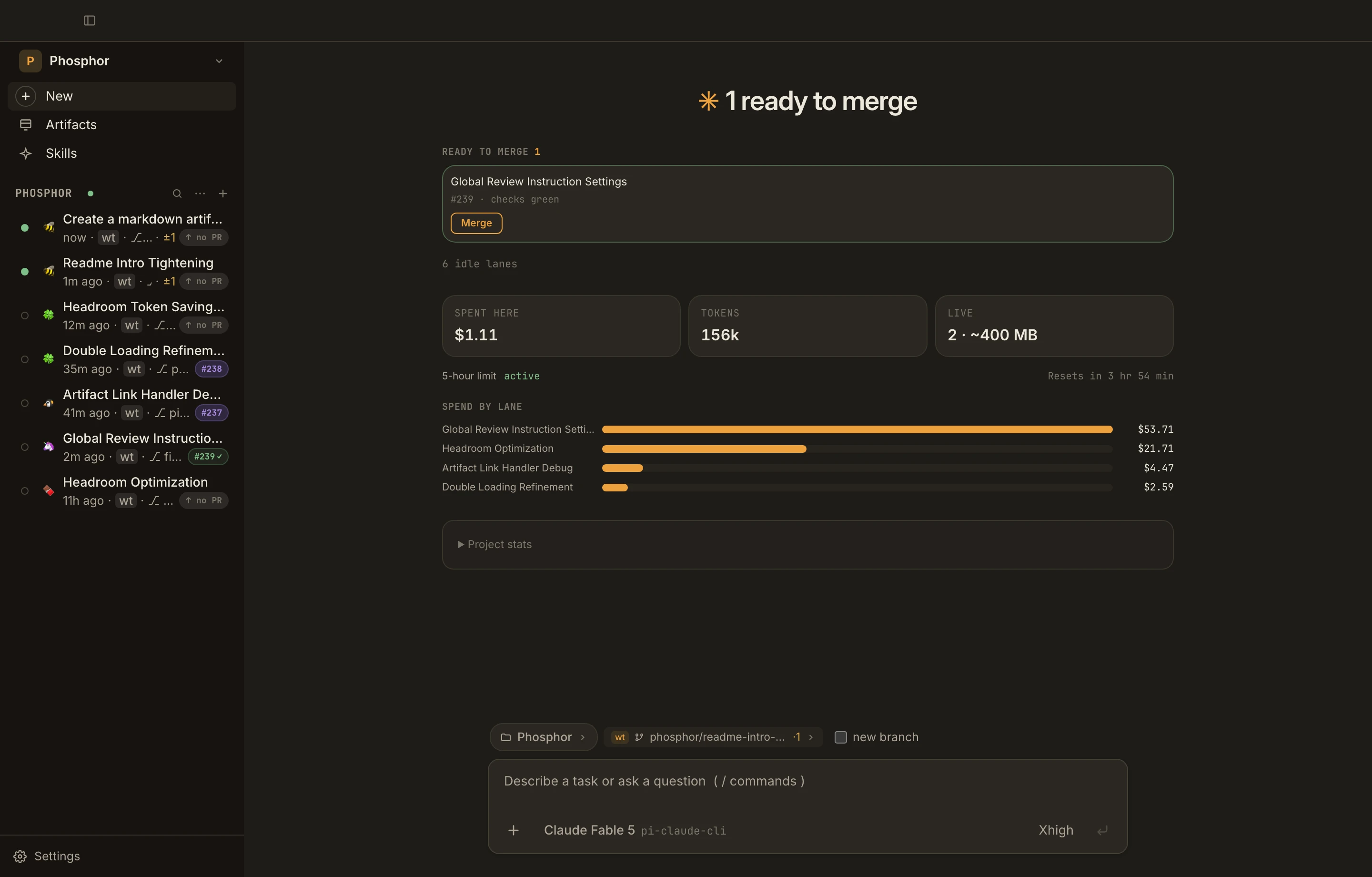
Phosphor gives each task a lane: its own agent, its own worktree, its own diff. The home screen sorts lanes into Waiting on you, Ready to merge, Needs a push, In review, and Running, so you know where to look next.
01 / How it works
Type what you want done. Every tool call and edit shows up as it happens, and each chat runs on its own branch.
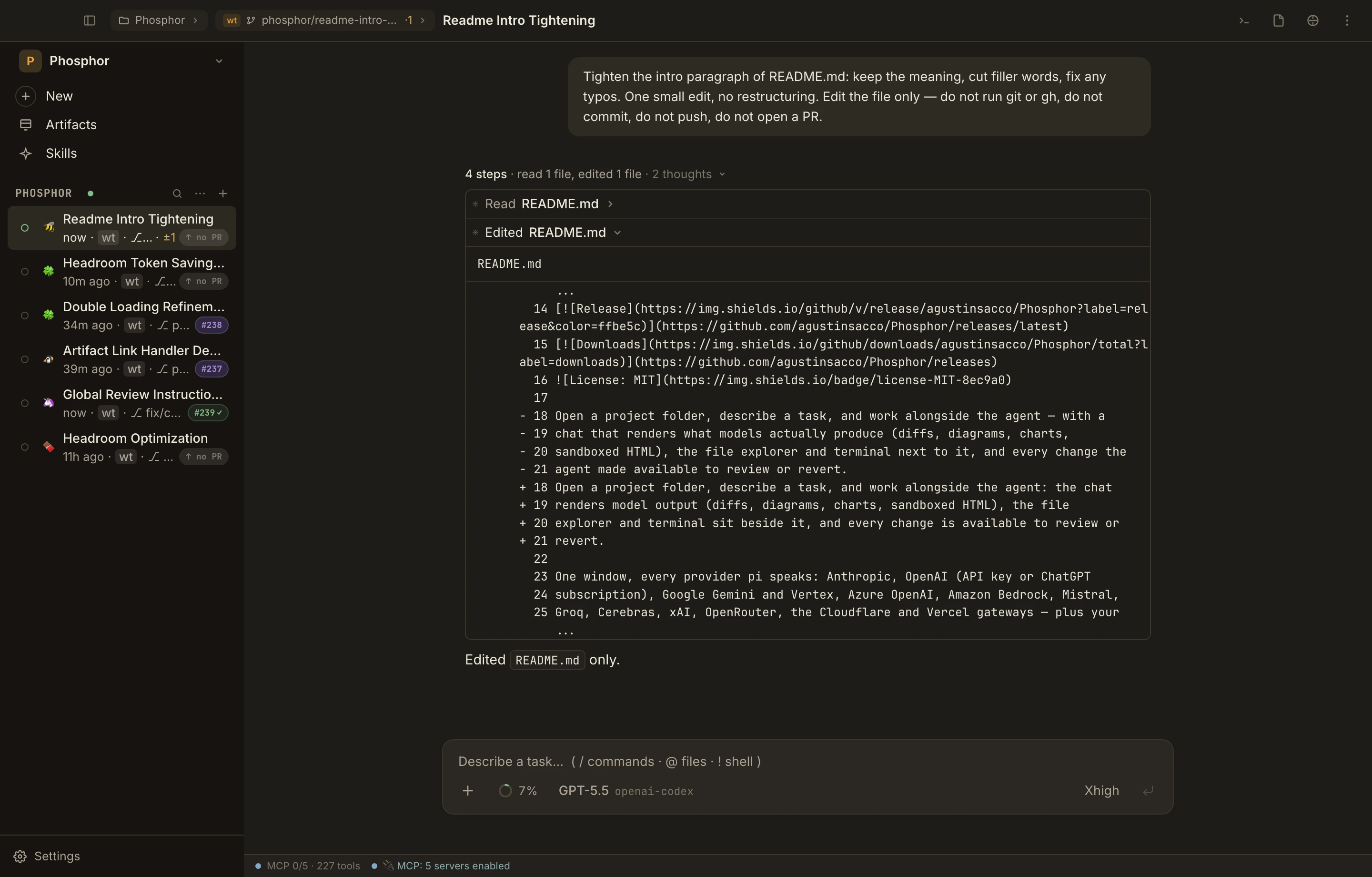
Open a folder, pick a model, and the session starts in its own Git worktree. Start a second task and it gets a separate checkout.
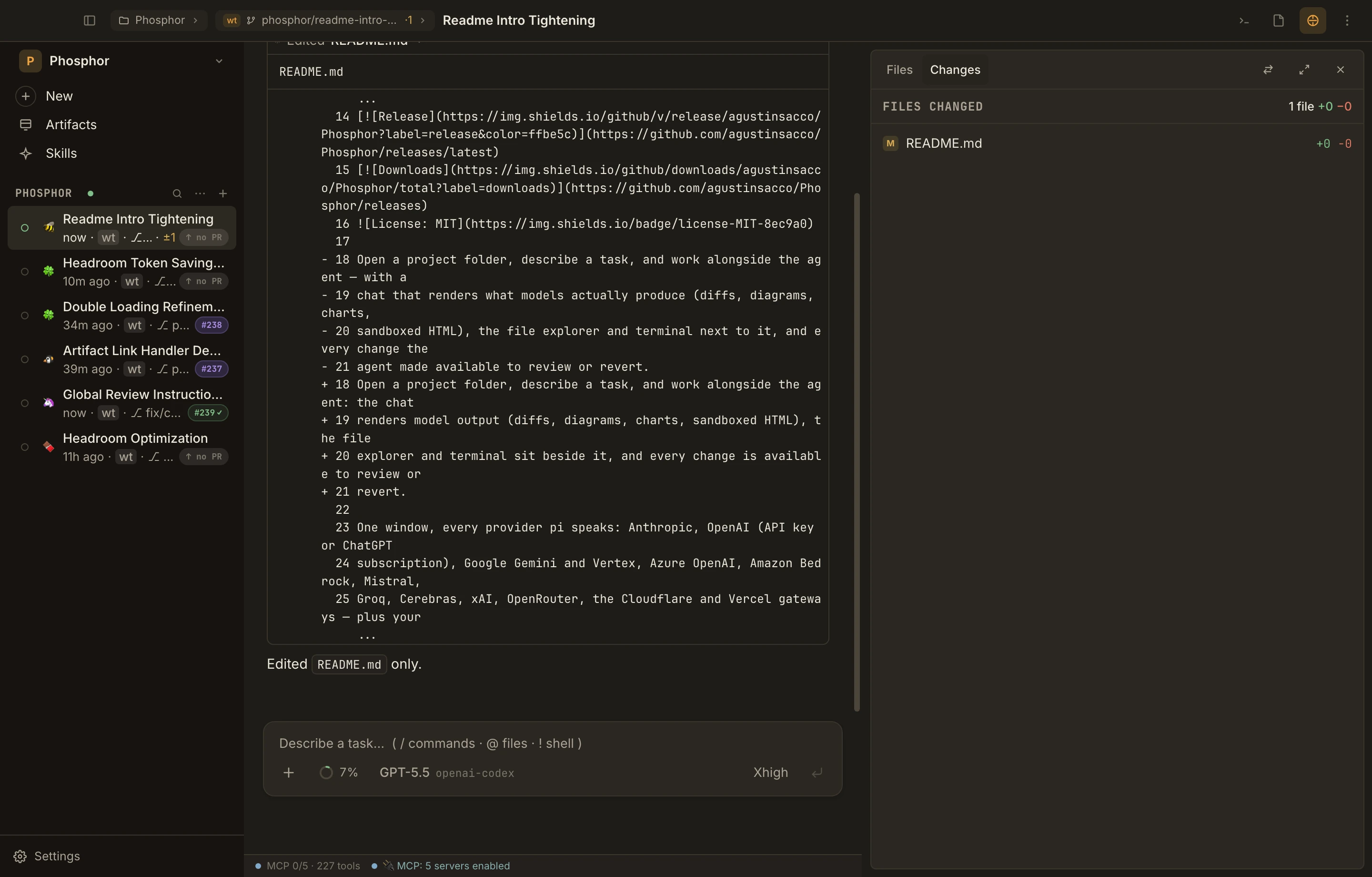
Expand any tool call for its arguments and output. Open an edit for its diff. Review every changed file against where the session started, and revert what you don’t want.
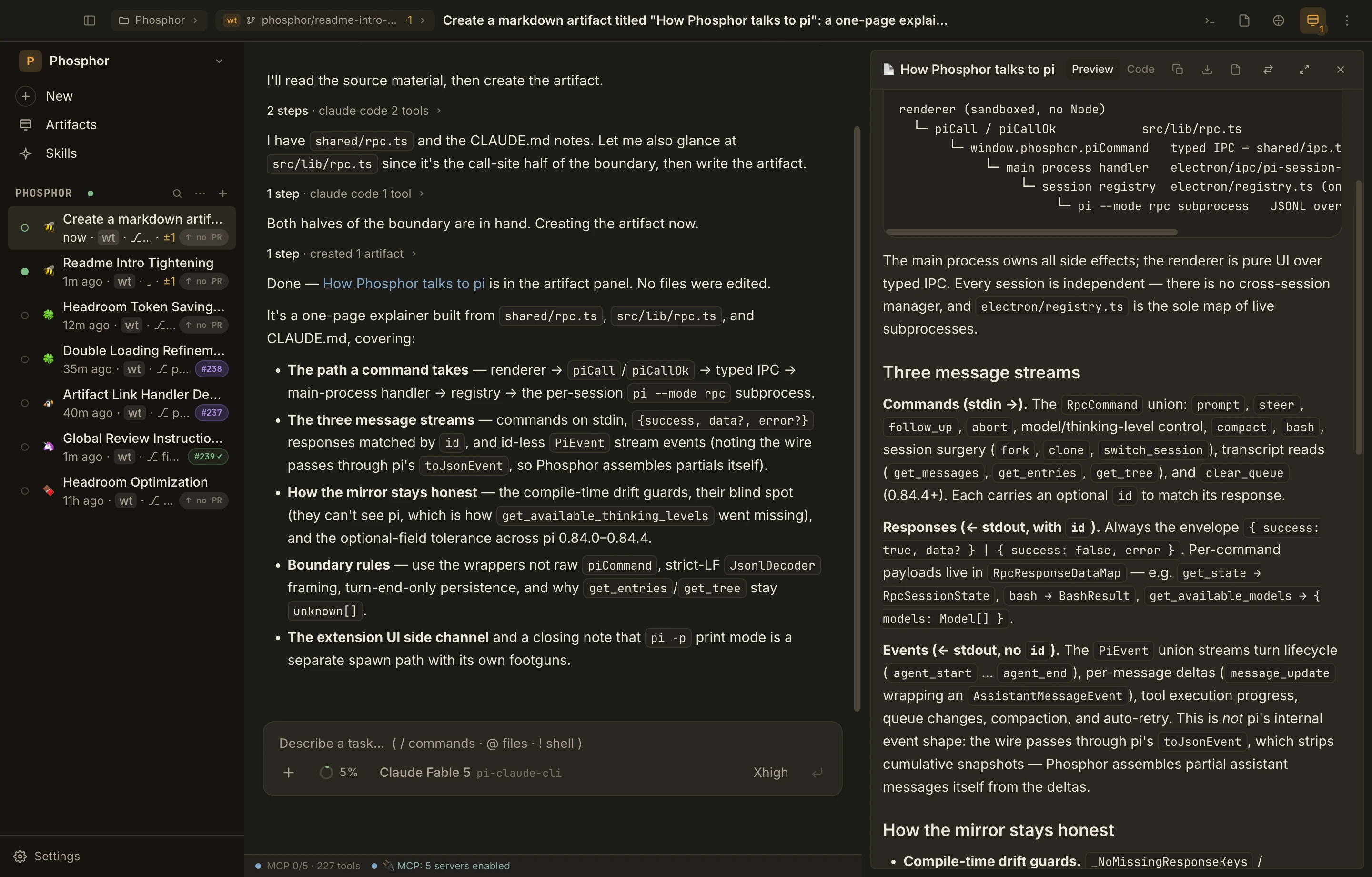
Plans, diagrams, and HTML pages the agent writes are saved as versioned artifacts. Reopen the session later to read, edit, or compare versions.
Open the file explorer and editor next to the chat, or give them the whole window. The same session works as a chat app or as an IDE. Your call.
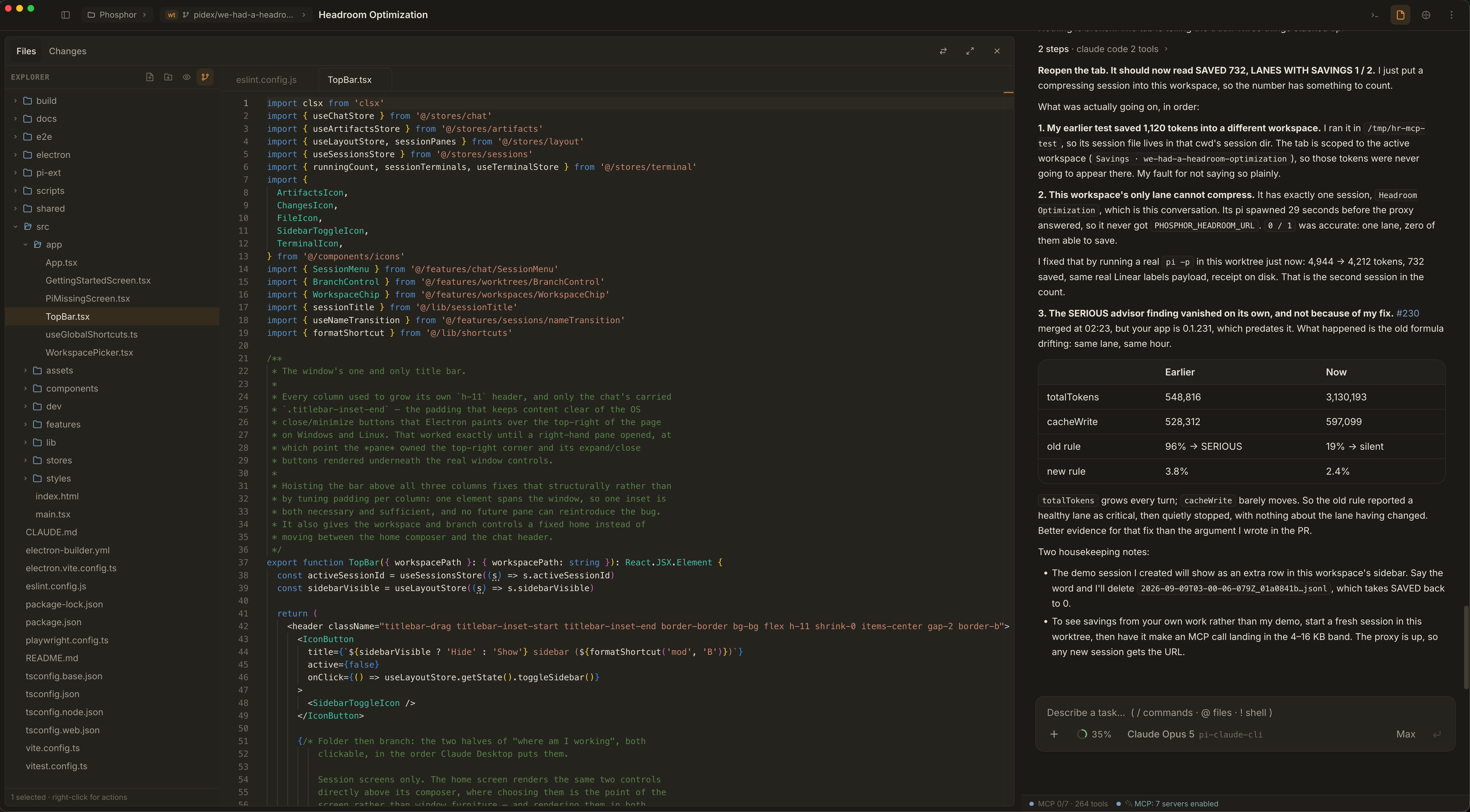
Files, Changes, Terminal, or Artifacts, one pane at a time. Dock it left or right, resize it, or go fullscreen. Each session remembers its layout.
How panes work ↗PR status comes from the gh CLI. Merges happen locally with git, not through GitHub. Artifact HTML runs isolated with no network access. That isolation covers the page, not the agent’s tools.
Resume old sessions, fork a conversation, or queue a follow-up while the agent is still working. Recurring work can run as a local routine: a new session on a schedule, on your machine while it’s awake, not in the cloud.
02 / Models and accounts
Sign in with a subscription, add an API key, or point at your own endpoint. Switch models mid-session without losing the conversation.
Plus / Pro
Sign in with pi’s built-in Codex login.
Pro / Max
Runs through the official Claude Code CLI with a pi provider package.
Copilot subscription
Sign in through pi. For Enterprise Server, use pi’s terminal login.
Kimi For Coding
Sign in with your coding plan through pi.
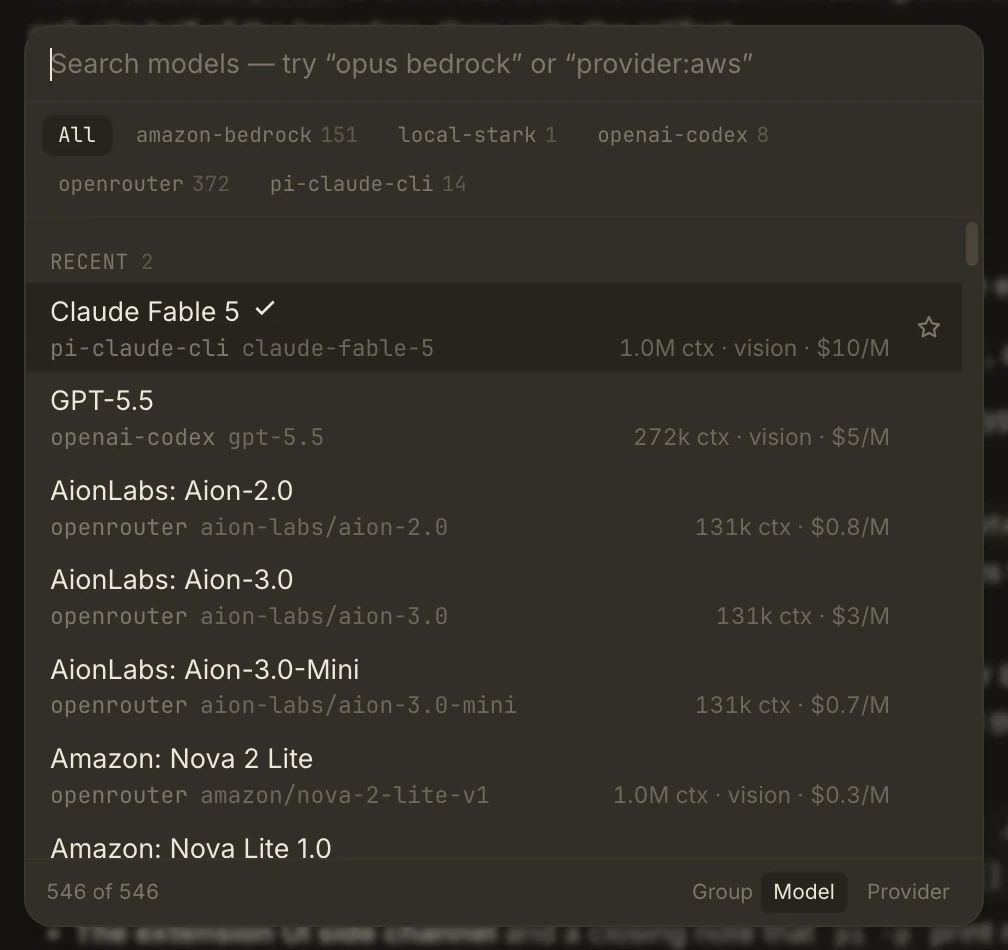
Search every model you’re signed into, across providers, with its context size and price. Pick a different one for the next turn and the conversation carries over.
The chip names what actually serves the session, so you can tell your Claude subscription (pi-claude-cli) from API-billed Anthropic.
The context meter shows tokens and cost as reported, an estimate of what’s filling the context, and how much of your Claude or ChatGPT plan is left.
How the context meter works ↗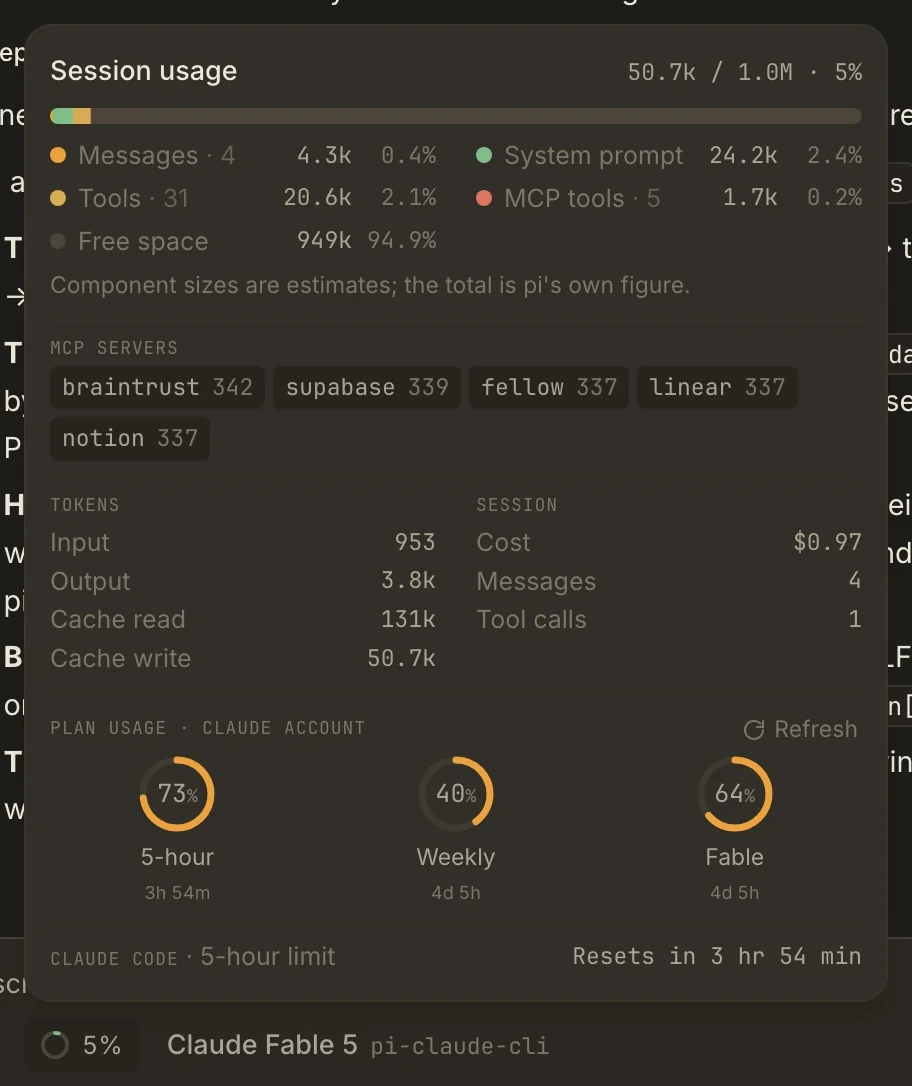
Claude subscriptions need the Claude Code CLI and the pi-claude-cli package. Your provider bills you for subscriptions and API usage. Phosphor itself is free. Pick a sign-in route →
03 / Extensions
pi runs the agent loop and connects MCP services. Packages add tools on top: web search, subagents, computer use. Phosphor installs, updates, and configures them from Settings.
Use your Claude Pro or Max plan, across as many Claude accounts as you have.
Recommended for Claude Pro and Maxpi-web-accessSearch the web, fetch pages, and read PDFs.
pi-subagentsHand side tasks to separate agents with their own context.
@injaneity/pi-computer-useLet the agent see and click around desktop apps.
04 / Connectors
Connect the services you want the agent to use through pi’s built-in MCP. No more pasting tickets and logs into the chat.
Issues and projects
Docs and wikis
Evals and traces
Logs and metrics
Database and project tools
Read-only account data
Meeting notes
Channels and threads
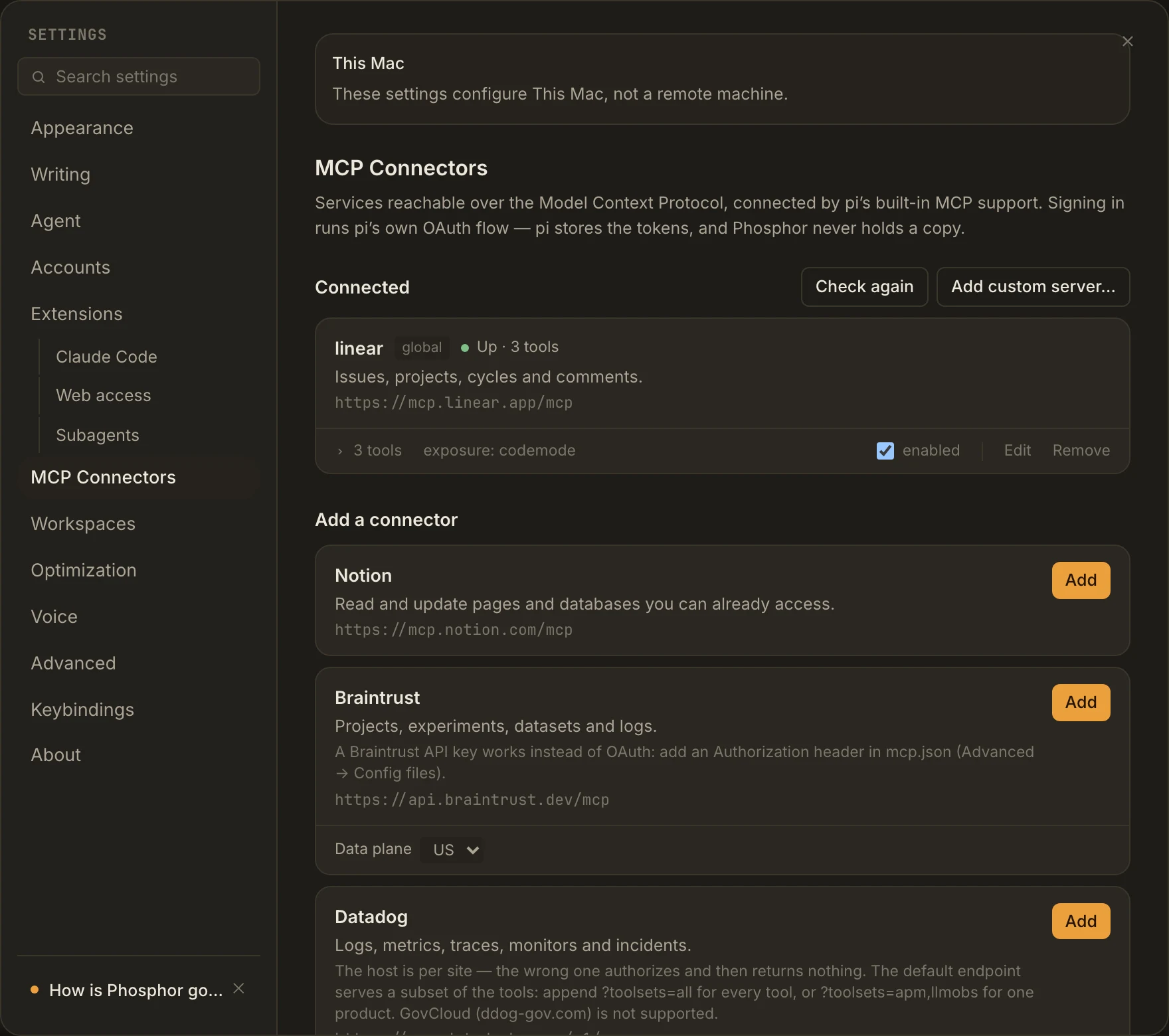
Setting up and checking a connector doesn’t call a model. Using its tools in a task does, and may count against the service’s quota. pi stores OAuth tokens, not Phosphor. Slack needs your own registered Slack app.
Built in the open
The lane board under “The problem” is real work on this repo. Every green merge to main that changes the app ships a release for all three platforms, and most installs update themselves.
FAQ
Yes. pi is the agent harness: small, simple, and built to be extended. Phosphor is the IDE around it. Every session is a real pi process, so your pi setup, extensions, and sessions carry over. Install it with npm first (Node 22.19 or newer). pi’s docs ↗
A terminal gives you a scrolling log. Phosphor shows each tool call with its output, each edit as a diff, and every file the agent changed since the session started, with a revert button. Each task runs in its own worktree, and one screen shows which tasks need you.
Yes. ChatGPT Plus and Pro sign in through pi. Claude Pro and Max run through the official Claude Code CLI with the pi-claude-cli provider, and you can add more than one Claude account. GitHub Copilot and Kimi For Coding work too, and so do API keys and custom endpoints. Sign in to several, and a lane can move to another plan when one runs out. Subscriptions and accounts →
Nothing. Phosphor is free and MIT licensed. You pay your model provider, the same as you would without it.
No. pi runs tools with full permissions, and Phosphor doesn’t add prompts of its own. Worktrees keep branches apart, not files or network access. If you want a confirmation before risky commands, install a permission gate. The repo has an optional one, and Phosphor shows its questions in a review sheet. The optional gate ↗
Phosphor runs on your computer and needs no sign-up. Your model provider gets the prompts and tool results you send it, and connected services see what the agent asks them for. Your sessions don’t go through any Phosphor server. Permissions and data →
As many as your machine can hold. Each live session is its own pi process, about 170 MB when idle, and nothing closes idle ones for you yet. Right-click a lane and choose Suspend to free that memory.
Yes. macOS gets a DMG, Linux an AppImage or .deb, and Windows an .exe installer. Windows builds aren’t code-signed, so SmartScreen warns you on the first install.
Remote-access foundations are being built in the open, including Host identity and machine approval. They are not a shipping remote-execution service. Today’s agent sessions run locally; routines need the computer awake. See the current remote-access boundary.
Start here
Two commands on macOS or Linux. Phosphor needs pi on your PATH, so install pi first.
npm install -g @earendil-works/pi-coding-agentcurl -fsSL https://github.com/agustinsacco/Phosphor/releases/latest/download/install.sh | shOn Windows, run the .exe from the latest release. The script checks release checksums, but it’s still a script piped into your shell, so read it first if you’d rather.
Lanes, review and merge, panes, artifacts, routines, and skills.
Scope a mission, choose a team, inspect the work and review the result.
Sign in to several plans and keep going when one runs out.
What’s built in, what to install, and how pi packages load.
Connect services, sign in, check them, and add custom servers.
MIT licensed. Runs on your machine, not as a hosted service. The agent’s tools have full permissions by default, and your providers see whatever you send them. Permissions and data →